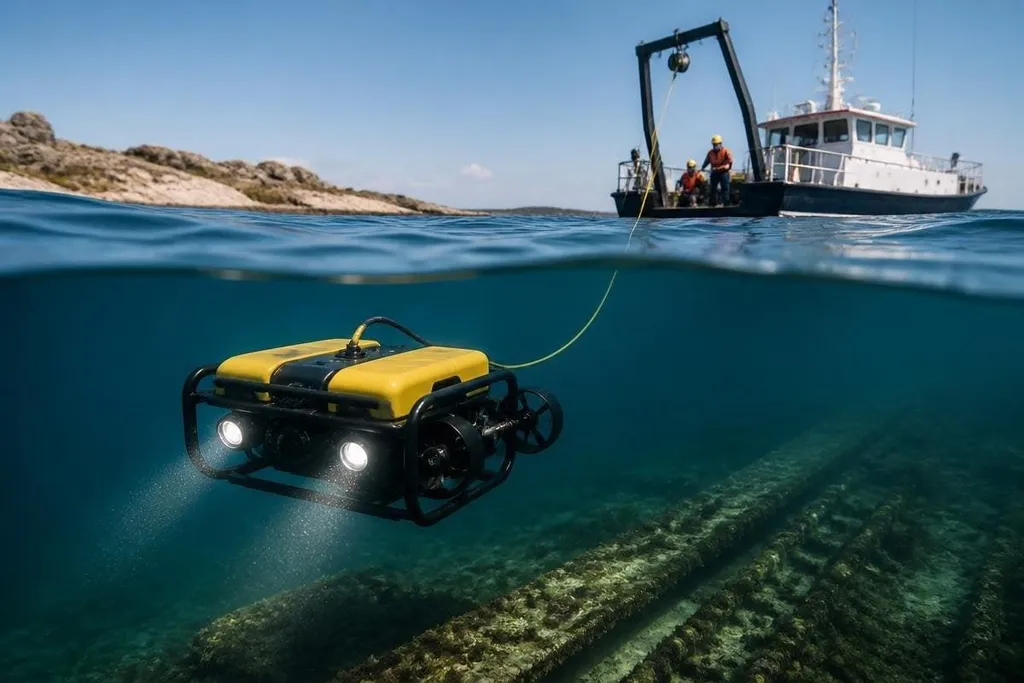
Underwater robots work where cameras lose color, radio links stop working, and people cannot watch every movement. AI gives these machines software that can read sensor data, spot patterns, and choose actions while the robot is below the surface.
That changes how an underwater robot searches, maps, checks structures, and handles a weak connection to its operator. The hardware still matters, but the software decides how much of that hardware the robot can use.
Quick read
- AI helps robots read sonar, cameras, depth sensors, and motion data together.
- Onboard software can keep a robot moving when the control link drops.
- Human checks still matter for uncertain images, changing currents, and safety risks.
How AI reads the underwater scene
Water makes sensing difficult. Light fades with depth, suspended material can block a camera, and the same object can look different as the robot changes position. Sonar sends sound through the water and measures the return, giving the robot a way to detect shapes when its camera cannot help.
AI software can combine these sensor feeds. A camera may show color and surface detail, while sonar gives a rough view of distance and form. A depth sensor adds the robot’s position in the water, and motion sensors show how the body is moving.
This process is called sensor fusion. In plain terms, the software compares several imperfect clues before it chooses what it thinks it sees. That can help the robot map a seabed, follow a pipe, or flag an object for a person to review.
The result still needs care. A sonar return may look like a rock, a cable, or part of a wreck, depending on its angle and the surrounding water. AI can sort likely matches, but a wrong label can send the robot toward the wrong target.
More work can happen onboard
Many underwater robots depend on a surface vessel or a control room. Commands travel down a tether in some systems, while untethered robots may lose contact when they move beyond the link’s range. AI lets the robot handle small decisions without asking for a new command each time.
That may include holding a set distance from a wall, keeping a planned path, or turning back when the battery reaches a set level. The robot can also adjust its movement after sensing an obstacle, rather than waiting for an operator to notice the problem.
This matters most when the robot is far from the surface. A short loss of contact should not force it to stop in open water or drift into a structure. The software can keep the task running, then send data when the connection returns.
For an inspection team, underwater robot field reports can tie an autonomy claim to the named machine, depth, task, and signal conditions. Those details show whether the robot can keep working when its camera loses a clear view or the link drops. The next section applies that record to inspection, where the result matters more than a smooth run.
Inspection is a practical test
Inspection work shows where AI can save time. An underwater robot may record images of a hull, bridge support, offshore structure, or pipeline. Software can sort the footage and mark areas that need a closer look.
That does not remove the inspector. It changes the order of the work. A person can review flagged sections first, then check the surrounding footage for context. The system may also compare new images with older records and point out changes in the same structure.
The quality of that result depends on the training data and the images collected during the mission. A model trained on clear views may struggle with mud, growth, low light, or a damaged surface. An operator needs to know when the software is guessing.
AI can also help a robot build a map as it moves. The map gives the operator a better view of the area and helps the robot avoid covering the same path again. In a confined site, that can reduce wasted movement and leave more battery for the inspection itself.
Where the limits remain
Underwater AI cannot fix a weak sensor, a damaged thruster, or a bad mission plan. It also cannot turn uncertain data into a fact. The robot may need to stop, return to a known position, or ask a person to review the scene.
Training is another limit. Conditions change across water depth, weather, seabed type, and structure design. A system that works well in one inspection site may need new data before it can handle another.
I’d trust underwater AI first for sorting data and holding a safe path, then give a person the final call on damage or recovery.
A practical buying checklist
Before choosing an AI-enabled underwater robot, check:
- Sensor inputs: Confirm which cameras, sonar units, depth sensors, and motion sensors the software can read.
- Onboard decisions: Ask which tasks continue after the control link drops.
- Operator control: Check how a person can pause, redirect, or recover the robot.
- Training data: Ask where the model was tested and which water conditions it can handle.
- Audit records: Make sure the system saves images, sensor data, alerts, and operator actions.
- Failure response: Find out what the robot does after low battery, sensor trouble, or a lost position.
The next useful measure will be simple: how often the robot completes a mission without a person correcting its path or its findings. Until makers publish that result across different underwater sites, AI is a strong aid for remote work, not a replacement for the people who remain responsible for it.